The Og Bog Blog

Oscar Baechler's portfolio, ramblings, doodles, and events

  • Blog
  • 3D
  • 2d
  • Learn
  • About
  • Old stuff

Freestyle Level Up review

Posted by oscarbaechler on June 20, 2014
Posted in: Uncategorized. Leave a comment


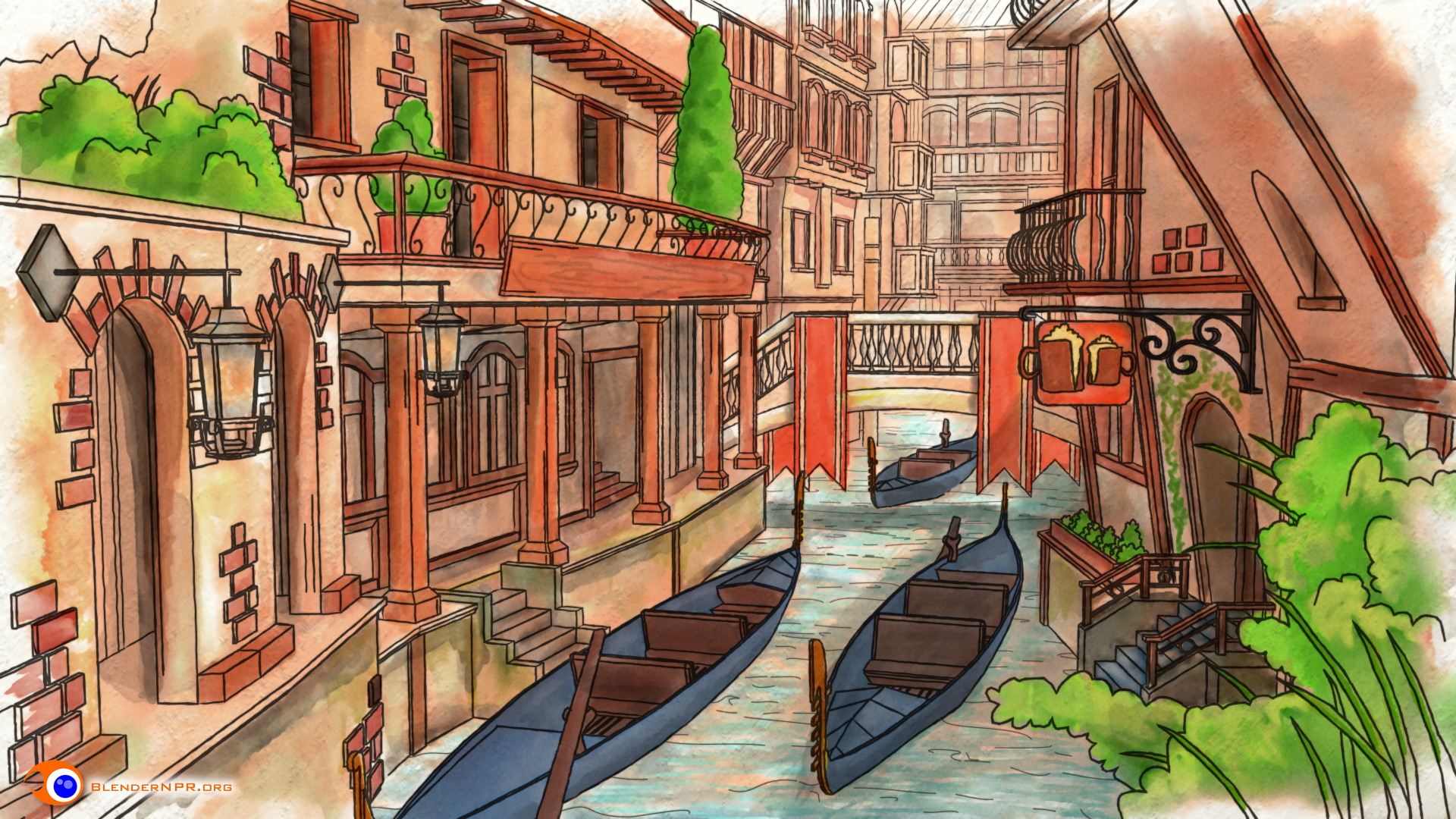
I’ve been seeing tidbits of Freestyle Level Up at Seabug over the last year, and seeing the finished product is a massive enlightenment. Lee Posey and Sage Light Bwk have done an amazing job, and their BNPR homepage should be a routine destination for all Blender users. Freestyle’s development has skyrocketed in recent years, and truly took off when #1. Blender’s render layers reorganized and #2. Freestyle was included by default in Blender. Freestyle’s capability is ready for action, but the Blender community still has a drought of great Freestyle tutorials. Until now. Here’s my review!

Starting off…

If this is totally new to you, a bit of clarification:

  • NPR=Non-photoreal. Comics, anime, all that good stuff.
  • Freestyle=a postprocess line art renderer that’s part of Blender.

Right off the bat, the production value of this series is terrific. Great editing, Clear voice-over, and constant set decoration to keep you engaged in the material. Before I even learned anything, I knew I’d be munching popcorn the whole time. Video game lingo and DBZ references keep you engaged during the most obtuse, difficult concepts.
Image

The guts

Freestyle has often confounded newcomers (myself included), because unlike many intermediate blender tasks, it’s not WYSIWYG. Switch your render to Cycles? It automatically works! You turn on Freestyle, hit render, and…well, lines appear, but how do I change ’em?!

Freestyle Level Up hits this problem right on the head with two major approaches. First, it explains the concepts, so you’re not just randomly turning buttons on and off any more. Sage and Lee take your brain and wrap it around the core concepts, so you understand edge types, line styles, and how it plugs into Blender’s overall rendering paradigm.

Secondly, once you know just what you’re dealing with, you can see infinite Freestyle combinations…and that’s intimidating. No worries though! BNPR’s team have come up with a formidable library of Freestyle recipes. Following along with their various recipes will leave you ready to start with the right style (or really close) right away, rather than fiddling for hours to get it right.

Conclusion

BNPR’s Freestyle Level Up video series fills a massive void in the Blender tutorial universe by covering Freestyle both aesthetically and under the hood. But not only is it the first major offering on the subject of Freestyle, it’s also a highly polished, easy-to-swallow romp that keeps you entertained while you learn. I’ve been excited to see Freestyle’s development over the years, but it’s even more exciting to know what the heck I’m doing in Freestyle! If you’re new to Blender, you might want to start somewhere else; Freestyle (like so much of Blender) is practically a program within a program. But if you’re comfy with your F12 key in Blender, Freestyle Level Up is a great way to add a great new tool to your toolbox.



Character modeling experiments

Posted by oscarbaechler on June 19, 2014
Posted in: blender, sketch. Tagged: blender, character, modeling. Leave a comment

Here’s a WIP shot of a guy I call “The broker.” Imagine him as a floormonger on some sci-fi commodities trading market. The final design will have red LED stock-tickers and news bulletins scrolling along his belt and shoulder apparati.

Image


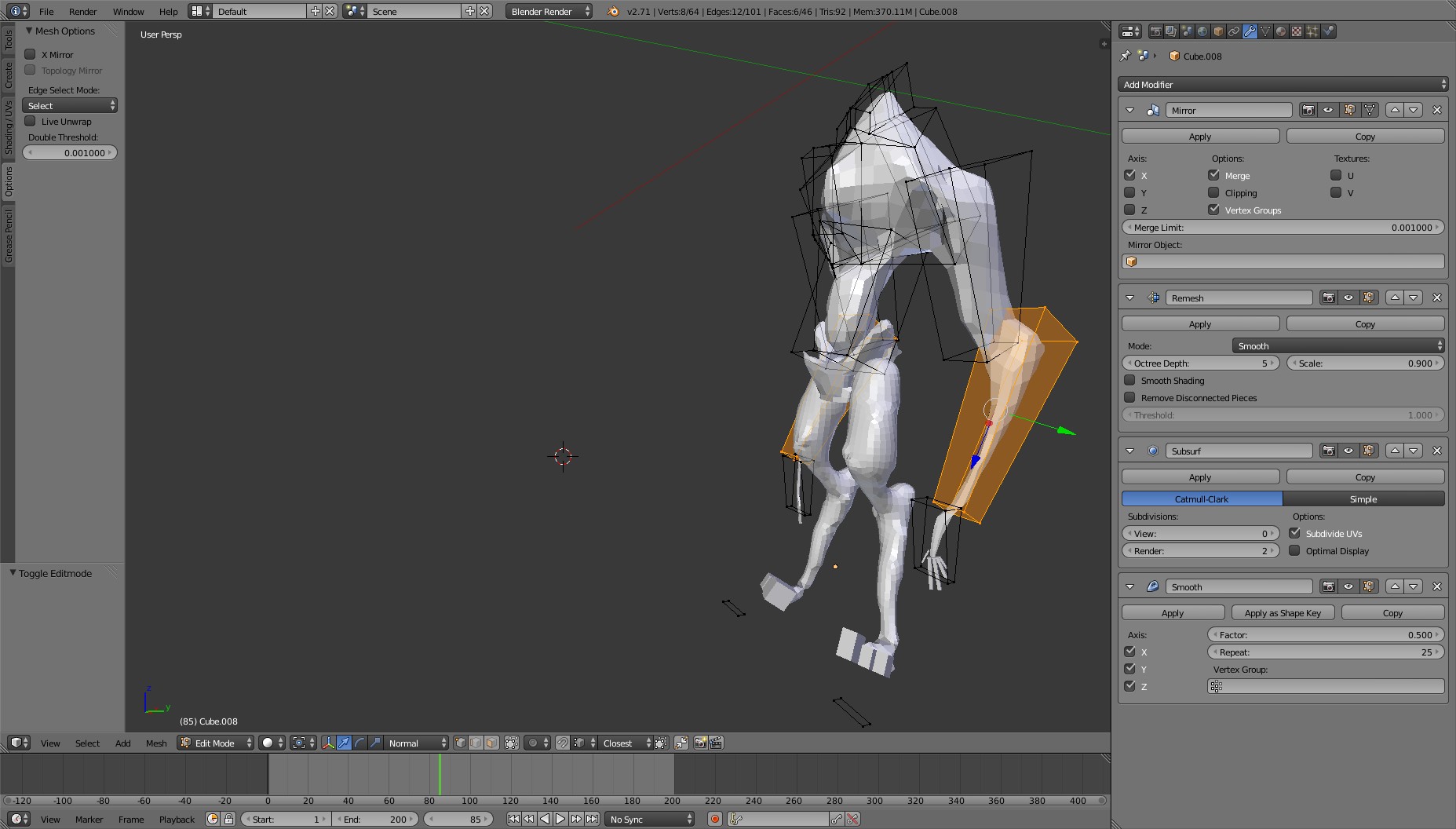
My modeling approach with this dude has been experimental and strange. Many methods exist for “sketching” a sculpt in 3D. Dynamic topology, Zspheres, Blender’s skin modifier. But all of these require under-the-hood nurturing that, in my opinion, makes you lose the effortless quickness that you can have with drawing by hand.

When you’re drawing in that way, a favorite technique is to just use big abstract circles and lines of action to represent a head, a muscle, a torso. Where is the equivalency in 3D? Here’s the modifier stack I came up with.


Image


From here, you can just Shrinkwrap clothes onto the character, then begin retopology modeling what you actually want. I got something that felt really alive and stylish, and the model served as some baseline concept art.

Should I take this to sculpt first, then finish modeling? I don’t know. Instincts say yes, but I’m having fun with some old-fashioned modeling first, sculpt later pipeline.

Blender Notes

Posted by oscarbaechler on April 27, 2014
Posted in: blender. Leave a comment

Are you at my Blender talk? Welcome! Here’s notes, follow along.

Thesis

3D is gigantic. Although you can spend a lifetime on it, anyone can get enough 3D chops to print a 3D model, render something, or have fun. However, the first 30 minutes are truly, horrifically painful if you’re diving in blind. Let’s get your first 30 minutes out of the way!

Intro–Blender? I hardly knew’er!

  • Go get Blender! http://blender.org
  • Support Blender’s new movie, Project Gooseberry! http://gooseberry.blender.org
  • Shameless plug: Support Giant Vs. Horde! https://www.kickstarter.com/projects/impossibleobject/giant-vs-horde-battle-a-real-human-without-limits?ref=live
  • Learn from others in the Commons! http://blendswap.com

Setup

  • 3 button mouse, number pad. Nvidia?
  • Ubuntu: reclaim your Alt key.
  • Apple: Reclaim your F keys.
  • Rule of 3s

Starting interface

  • Timeline, Properties, Outliner. Don’t sweat it!
  • Tools (T) and Properties (N)
  • 3D view. We’ll stay here!

3D Navigation & Mouse Button Basics

  • XYZ = RGB = Left/Right, Forward/Back, Up/Down
  • 3 Mice buttons. Middle mouse= Navigation! Rule o’ 3: Orbit, Pan, Zoom
    • MMB click drag: Orbit
    • Shift MMB: Pan
    • Ctrl MMB: Zoom. Middle Mouse wheel also.
    • Other nav tools:
      • period key: zoom to selection.
      • Numpad 5: orthographic vs perspective
      • 4/6, 8/2:, +/-: rotate
      • 0: Camera
  • Right mouse = Selection!
    • Shift RMB: Add to selection
    • Within tools: Cancel (also Escape)
  • Left mouse = 3D cursor. Whaaaa?
    • Within tools: Execute (also Enter)
    • Ctrl LMB: Lasso select

3 Basic transforms: Move, Scale, Rotate!

  • G: Grab/move/Translation
    • X, Y, Z: set an axis
    • Alt XYZ: restrict an axis
    • Numbers: add specificity
  • R: Rotate
    • Same as Grab!
    • RR: Joystick vs. Trackball
    • XX, YY, ZZ: Global vs. Local transforming
  • S: Scale
    • Same! But default is 1/1/1
    • Scale + LMB 3D Cursor = Hey, LMB isn’t silly!
    • Comma, period: change transform origin

Edit Mode!

  • 3 mesh components: vertex, edge, face, each with a menu!
  • 3 step process: View, selection, tool
  • 3 menus: Add, Specials, Spacebar.  (W, Ctrl A, Spacebar)


Krita notes

Posted by oscarbaechler on April 26, 2014
Posted in: blender. 1 Comment

Preview

Some quick Krita examples of mine, and various shameless self promotions.

  • https://ogbog.net/wp-content/uploads/2013/12/baechler_santa.png
  • https://www.youtube.com/watch?v=EWM1yW0PrW4
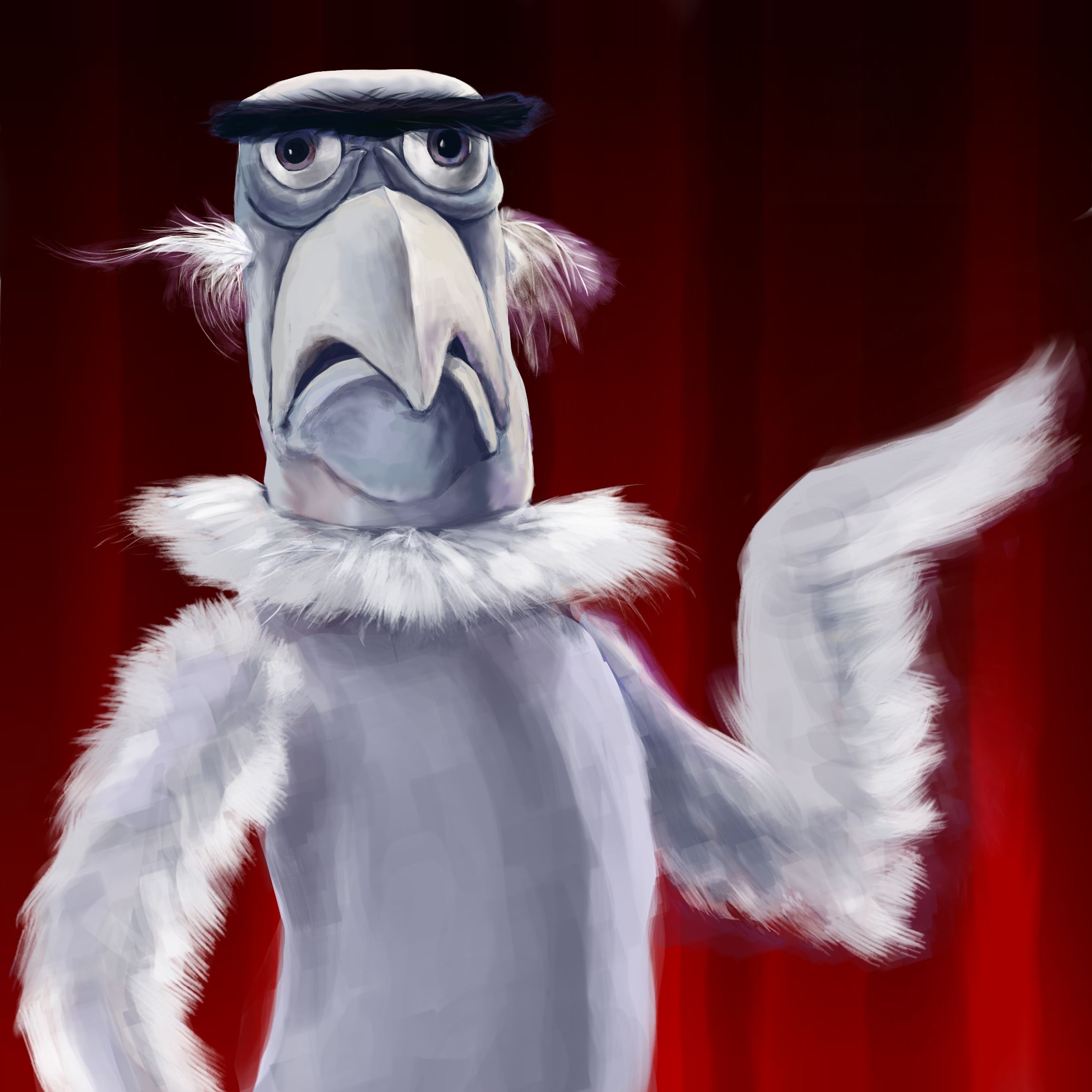
  • https://ogbog.net/wp-content/uploads/2014/02/sam-the-eagle1.jpeg
  • Check out my sketchbook!
  • Support Giant vs. Horde! https://www.kickstarter.com/projects/impossibleobject/giant-vs-horde-battle-a-real-human-without-limits?ref=live


Setup

  • krita.org for Linux, kritastudio.com for Windows.
  • Stay current! Best install for linux:
    • sudo add-apt-repository ppa:kubuntu-ppa/backports
      sudo apt-get update
      sudo apt-get install krita
      sudo apt-get install kritasketch (otherwise you won't have the sketch brush in 2.8.0)
      kbuildsycoca4
  • Tablet setup: Set your pen buttons to MMB click and RMB click
  • Standing desk. Drink the kool aid!
  • Keep a mouse handy anyway.

Starting Hotkeys

When in doubt, assume we’re using the brush with these.

  • Nav stuff
    • MMB: pan tool. (Photoshoppy spacebar works too. Also arrow keys)
    • MMB wheel: zoom (Blendery Ctrl MMB click-drag works too. Also +/-. 2 goes to fullscreen)
    • Shift MMB: Rotate canvas. Watch the OpenGL. Reset with Ctrl ‘. (Also 4 and 6.
    • M: Mirror the layer
  • Brush stuff
    • LMB: use tool
    • RMB: Brush and color palette.
    • Shift LMB: Brush size!
  • Color stuff
    • D, X: Like photoshop, reset FG/BG colors, toggle them
    • Ctrl LMB: eyedropper. (Ctrl RMB eyedrops the BG color)
    • L, K: Lighter or darker
    • E: toggle Erase mode.
    • O, I: Opacity higher/lower
  • Other tools
    • T: Layer move tool
    • /: Toggle last two brushes

But who cares? Let’s have fun!

Fun stuff in Krita

  • Symmetry drawing
  • Brushes. Oscar’s picks:
    •  Sketch
    • Sketch_shade
    • Sketch_speedpaint
    • Sketch_speedpaint_shade
    • Shape_fill
    • Basic_circle
    • Move_tool
    • Hatch_noisy
  • Brush engine. Make your own!
    • Path tapering: Size/Opacity/Etc = Fade
    • Follow brush: Rotation = Drawing Angle
  • Comic templates, perspective tools, etc.

Basic workflow

  • Rant: Only jerks use 100 layers!
  • Start with a sketch
  • Imprimatura: get some rough color
  • Grisaille: get some value
  • Color sections
  • Various art platitudes
    • Trust yer eye!
    • Draw from life!
    • Art science:
      • Highlight
      • Halftone
      • Terminator
      • Core shadow
      • Reflected light
      • Cast shadow
      • Reflection??
      • Contact Shadows????
      • ENVIRONMENT LIGHTING?!!?!?!
      • FRESNEL?!?!?!? (Head explosion)
      • Speaking of head…Human anatomy, technology, animals, nature, caricature, the entire human experience, and what lies beyond.

Happy Alien WIP

Posted by oscarbaechler on April 18, 2014
Posted in: blender. Leave a comment

Just a fun lil sculpt in Blender. Started with an old sketchbook drawing, but kinda went into left-field with it.

Nature crap in Blender

Posted by oscarbaechler on April 4, 2014
Posted in: blender. Leave a comment

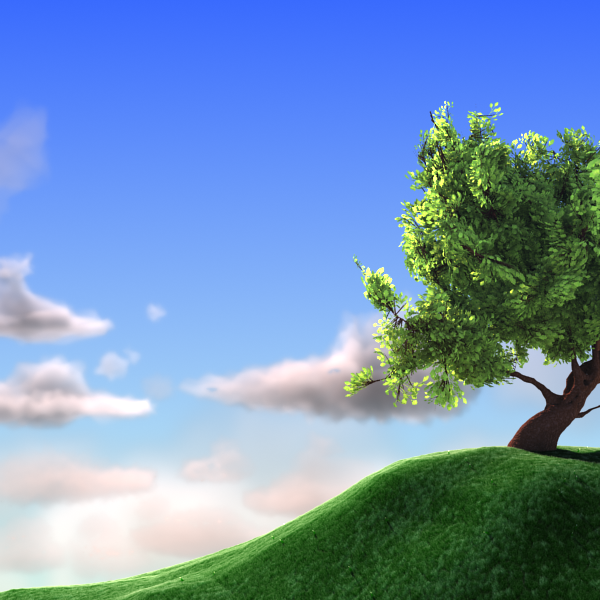
An ol’ file of mine with trees, grass, clouds, all that stuff. Go grab it at Blendswap!


Image

Weekly HDR: Snoqualamie field megapack

Posted by oscarbaechler on March 15, 2014
Posted in: HDR. Leave a comment

Took a drive out to Snoqualamie, shot several environment maps with the family. It was nice not having the city conundrum of people walking in the shot at one exposure, then being in the shot again at a different exposure.

Have all of ’em at once!

baechler-hdr-snoqualamie-pasture-jan2014

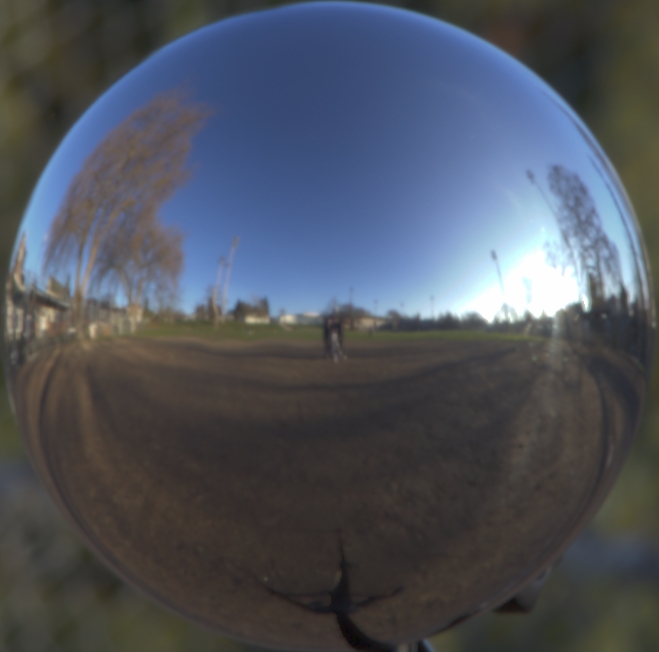
Weekly HDR: Baseball diamond

Posted by oscarbaechler on March 8, 2014
Posted in: HDR. Leave a comment

Grab it!

baechler-hdr-schoolyard-diamond-jan2013

Seabug videos

Posted by oscarbaechler on March 7, 2014
Posted in: blender, HDR. 1 Comment

I’ve been running Seabug for about five years now, and we rarely have a Seabug go by with out some demo effect. Sometimes it’s files not working or computer failures, but most repeatedly it’s people requesting recordings, and I can’t get my act together in the 20 minutes before Seabug starts.

No longer! Longtime Seabugger John Wickliffe has been recording them, and this time we transferred the vids soundly. These are from the February seabug, but we should have a pipeline in process now so that future ones are easily handed off and uploaded.

Enjoy!

(PS: If you’re in one of these videos and want a shout-out to your site, or need NDA stuff blocked, let me know.)

Fisheries project

Posted by oscarbaechler on March 3, 2014
Posted in: blender. Leave a comment

Here’s an ol’ project I animated last year with YumYum Media.

Posts navigation

← Older Entries
Newer Entries →
  • Recent Posts

    • Ballard Life Drawing Co-op Returns!
    • Linuxfest Northwest 2025!
    • Ogbog’s Grog Barrel Generator for Geometry Nodes in Blender 4.3
    • Adding labels with geometry nodes and python
    • Several Meat Machine updates!
  • Archives

    • March 2026
    • May 2025
    • February 2025
    • July 2024
    • March 2024
    • February 2024
    • December 2021
    • October 2021
    • September 2021
    • August 2021
    • July 2021
    • June 2021
    • March 2017
    • February 2017
    • January 2017
    • December 2016
    • November 2016
    • October 2016
    • September 2016
    • August 2016
    • July 2016
    • June 2016
    • May 2016
    • April 2016
    • March 2016
    • November 2015
    • October 2015
    • January 2015
    • September 2014
    • August 2014
    • July 2014
    • June 2014
    • April 2014
    • March 2014
    • February 2014
    • January 2014
    • December 2013
    • November 2013
    • March 2013
    • January 2013
    • December 2012
    • November 2012
    • October 2012
    • August 2012
    • July 2012
    • June 2012
    • May 2012
    • April 2012
    • March 2012
    • January 2012
    • December 2011
    • October 2011
    • September 2011
    • August 2011
  • Categories

    • blender
    • HDR
    • illustration
    • sketch
    • Uncategorized
  • Meta

    • Create account
    • Log in
    • Entries feed
    • Comments feed
    • WordPress.com
Create a free website or blog at WordPress.com.
The Og Bog Blog
Create a free website or blog at WordPress.com.
Privacy & Cookies: This site uses cookies. By continuing to use this website, you agree to their use.
To find out more, including how to control cookies, see here: Cookie Policy
  • Subscribe Subscribed
    • The Og Bog Blog
    • Already have a WordPress.com account? Log in now.
    • The Og Bog Blog
    • Subscribe Subscribed
    • Sign up
    • Log in
    • Report this content
    • View site in Reader
    • Manage subscriptions
    • Collapse this bar
 

Loading Comments...