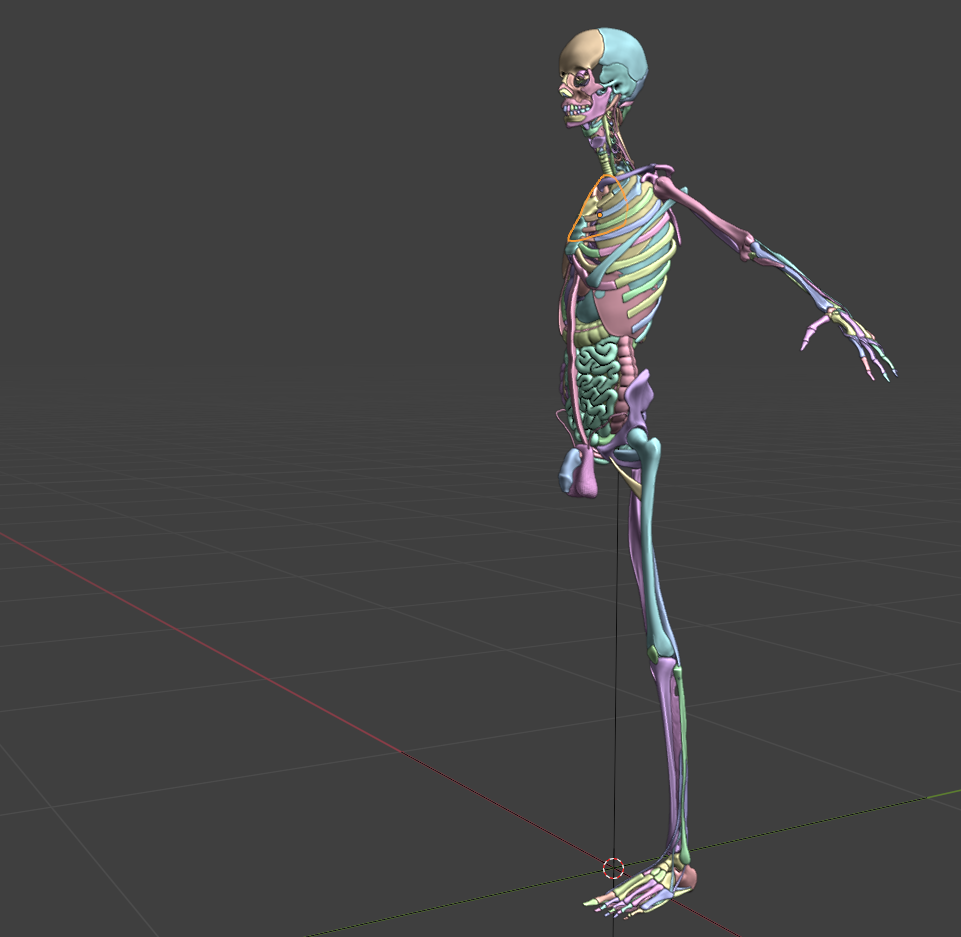
I’m revisiting my old huge anatomy atlas and hope to release the new version soon. Remember this bad boy?
It’s a good use case for Python when geometry nodes only takes you so far. I’m giving everything proper anatomical names, so what about displaying the names? The problem is geometry nodes can’t access an object’s name as an attribute to pass as a string So enter python. First, here’s a geometry nodes setup that makes a label line from instance origin outward for an object at the input index, then makes an input string curve that orients to the camera
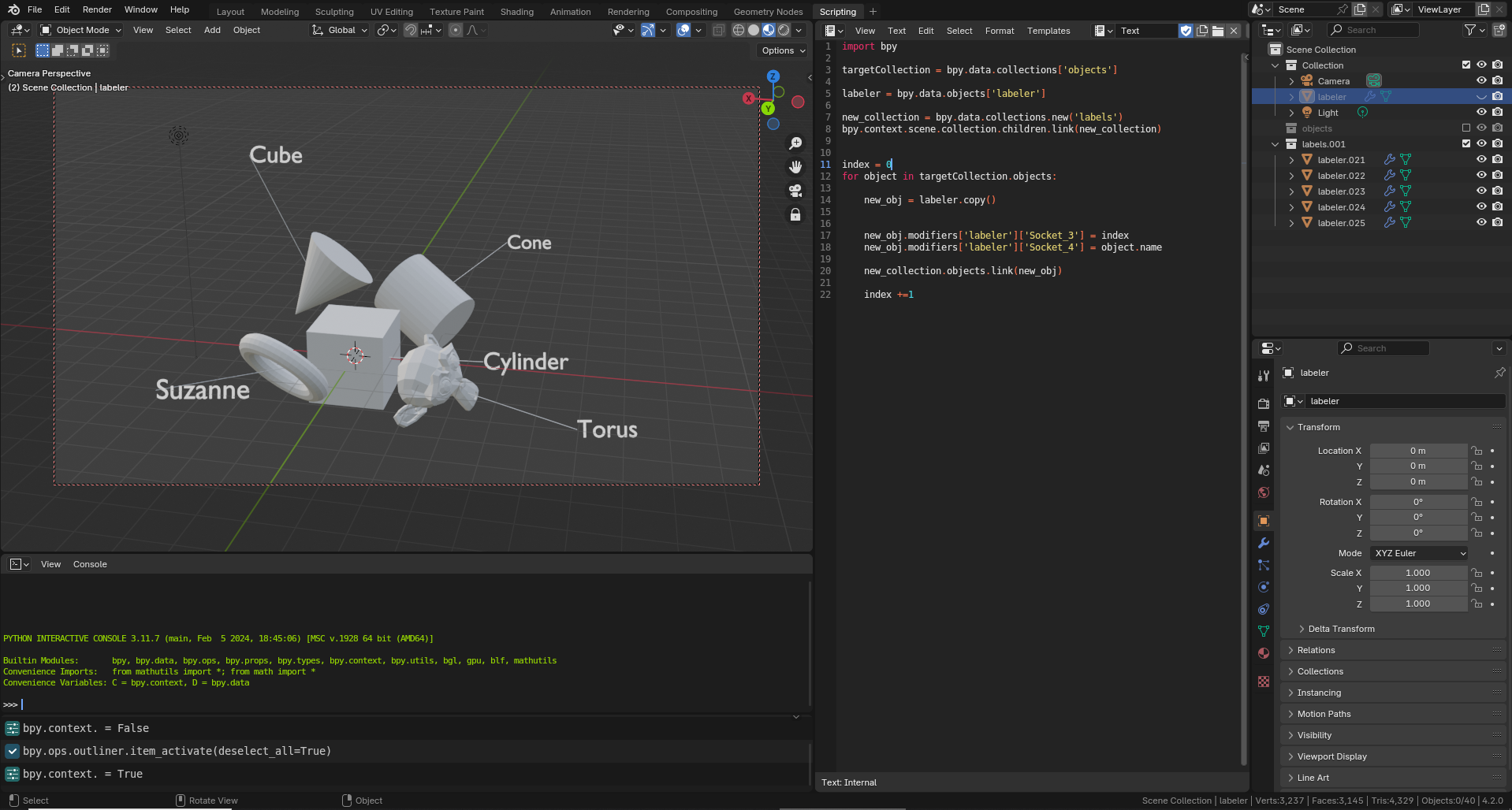
Next, Python makes a version of this object for each object you’d want to label (AKA everything in a target collection) and changes the GN string to the name of objects at the given index. Instant labels!
The official first release of Meat Machine is here! This project is many months in the making as part of a quest to develop a more clay-like écorché sculpting environment that truly feels like it was designed for artists. Buy it here! https://ogbog.gumroad.com/l/meatmachine
SCULPT LIKE YOU’RE DRAWING
Meat Machine utilizes Blender’s Geometry Nodes for a revolutionary new workflow that mimics real world Écorché sculpting as a methodology for sculpting block-ins, medical visualization, and gore! Er, I mean, more. Utilize Blender’s curves drawing interface to create volumes quickly and unleash more artistic workflows with instant feedback. No more clunky sculpting and object positioning!
BONES
Create a wide variety of bones and bone profiles, including controls for epiphyses (that’s the bony chunk at the ends of bones) and spikes of differing amounts.
CHAIN BONES
For spines, tails, and fingers, blast all that in with like a single stroke, chef! Chain tools instantly subdivides and populates a spline with multiple bones. You can even reference in a collection of models if you’ve got some vertebrae or teeth you’d like to pop into place!
MUSCLES Unleash the awesome power of muscles, which include UVs, a muscle material, controls for shifting the UVs for extra tendon. Segment them for things like abdominals, or create sheets of muscle like some totally ripped pecs and traps.
BLOBS
Ever want to just bubble in a character? With Blobs, you can turn every stroke into an instantly filled hunk of meat. If you’ve ever studied drawing methods like FORCE drawing or How to Draw Comics the Marvel Way, this is the gestural sculpting tool you’ve dreamed of!
FAKE VDMs
Don’t you hate VDM textures in sculpting? Sure they’re cool, but you get stuck with resolution bottlenecks, no recourse after the stroke, and it’s all on one big stinky sculpt object. With fake VDMs, you can draw in a collection (such as one with a nose made of multiple objects!) and control it all after the stroke.
ARTIST FRIENDLY CONTROLS
Utilize Twist with Ctrl + T and scale with Alt S at every step of the way to customize every muscle and bone you lay down.
VERSION 1.0
This initial release is compatible with Blender 4.1 and cleans up bugs from earlier prerelease versions.
Several of the test sculpts have been removed, as cleaning up parameters damaged older implementations. Also, the name was changed from Boner to Meat Machine so that purchases will be less suspicious in your bank statement.

 So enter python. First, here’s a geometry nodes setup that makes a label line from instance origin outward for an object at the input index, then makes an input string curve that orients to the camera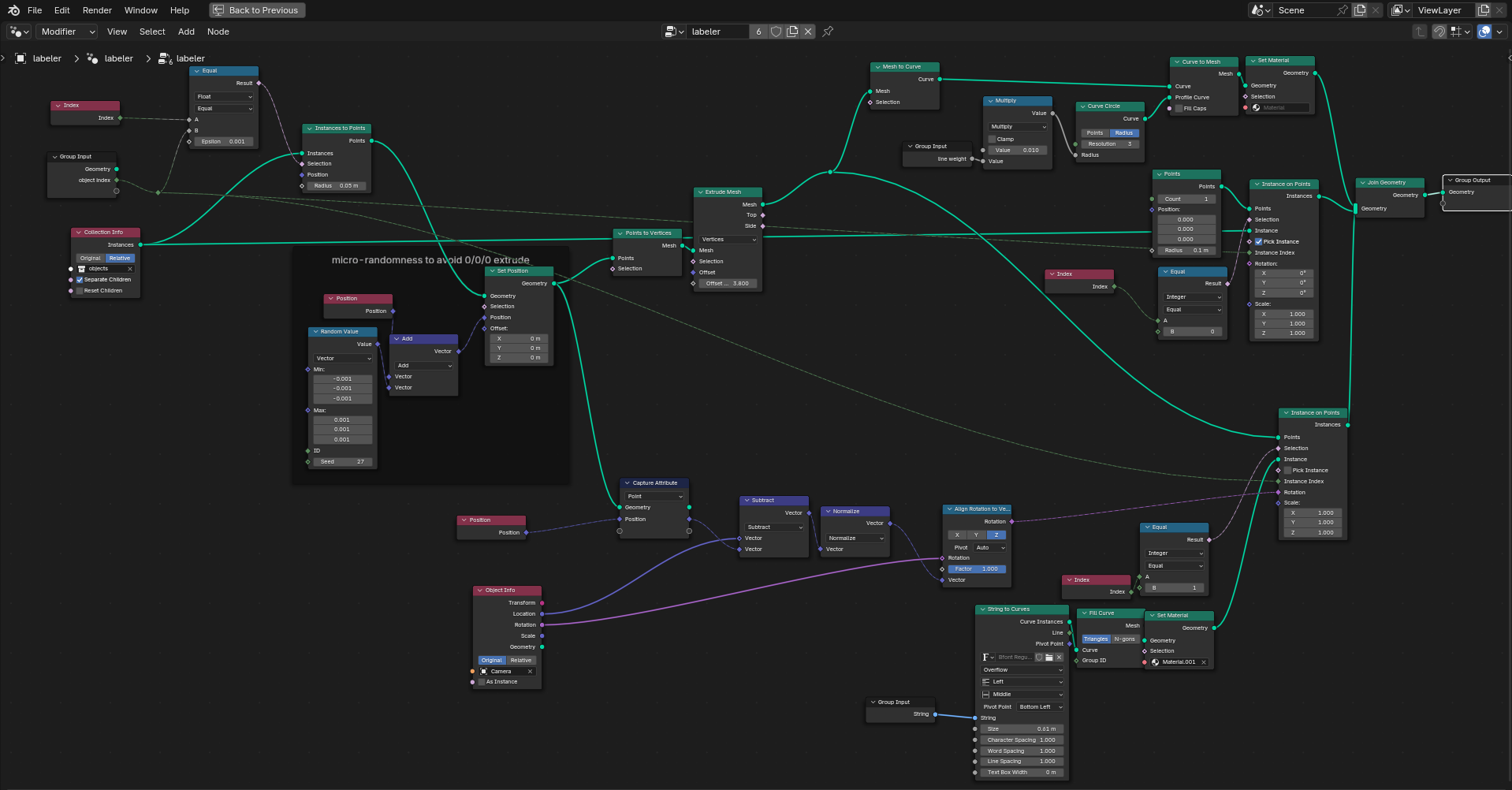
 The Og Bog Blog